


Every managed PC, in view through Intune
Argent builds one PowerShell script for your tenant. Microsoft Intune runs it on the Windows PCs you assign, and the command-line AI tools on each one start sending their traffic through Argent's proxy, so the AI in use shows up.
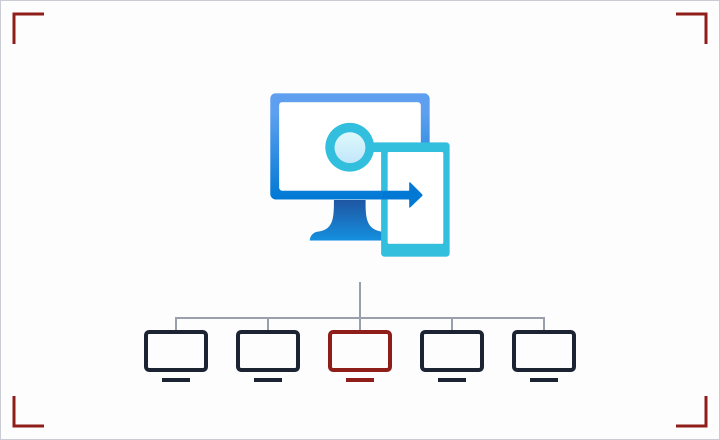
What Argent does with Intune
Your Microsoft Intune already reaches every managed PC. Argent gives it one script that puts the command-line AI on those machines in view.
Most of the AI in a company arrives before anyone registers it. Microsoft found 78% of AI users bring their own AI tools to work (Microsoft and LinkedIn, 2024 Work Trend Index). IBM found shadow AI was involved in security incidents at 43% of the breached organizations it studied, up from 20% a year earlier, and those breaches averaged $5.39 million (IBM, Cost of a Data Breach Report 2026). NIST's AI Risk Management Framework asks for an inventory of AI systems, under GOVERN 1.6 (NIST AI RMF Playbook).
This is Level 2 of Argent's Discovery, the step after reading your proxy logs. Argent builds the script for your tenant; Microsoft Intune runs it on every machine in scope.
- What the script sets. The Argent certificate, a combined certificate bundle, and the standard proxy settings that command-line AI tools and SDKs read:
HTTPS_PROXYpointed at Argent's proxy,NO_PROXY, and the certificate variables each tool reads, such asNODE_EXTRA_CA_CERTS,SSL_CERT_FILEandREQUESTS_CA_BUNDLE. - What it never carries. No private key, no agent key and no password. The proxy setting has no credentials in it: a managed machine is admitted by the network it connects from.
- What Argent sees. Which AI services each managed machine reaches, as a discovered client in the Agent inventory, tagged "Seen via managed network".
- Machine scope, safe to repeat, reversible. Running it again converges to the same state, and the uninstall option removes what it added.
The same push kit also comes for Jamf and Kandji (now Iru), Group Policy and Linux.
What the script changes on each PC
One PowerShell script, run as SYSTEM. Here is everything it touches.
| On the PC | What changes |
|---|---|
| Local Machine Trusted Root store | Argent's tenant certificate added (left alone when your tenant uses a company-signed chain) |
C:\ProgramData\Argent | argent-ca.pem, and argent-ca-bundle.pem: the Windows roots plus Argent's, for tools that replace the trust store |
| Machine environment variables | The proxy and certificate variables, set at machine scope for every user |
- Internal sites stay direct. Fill in the
$InternalDomainsline with a comma list such as.corp.example.com,.internal. Loopback, Argent's own hosts and the proxy itself are already excluded. - Undo is one switch. Run it with
-Action uninstallto remove the variables it set (only where they still hold its values), the certificate it added and the folder. - Re-run after root updates. The bundle holds a copy of the Windows roots, so run the script again after a root-certificate update. It is safe to run any number of times.
How it connects
You download the script from the Argent console; your device management pushes it. Argent never signs in to your management server.
| Direction | Download from Argent, push from your device management. Nothing calls back into it |
| Where to get it | Discovery page, Level 2 "Push to managed machines". Behind it: GET /v1/noc/setup/fleet?os=windows&format=intune |
| Who can download it | A TenantAdmin gets a script for their own tenant only. A SuperAdmin must pick one tenant first |
| File | argent-fleet-intune.ps1, built for your tenant on each download and never cached |
| What is inside | Argent's proxy address and your tenant's public certificate. Anything other than a public certificate is refused before a script is built |
| Traffic path | Command-line tools on managed machines send their traffic to Argent's forward proxy. Only machines from network ranges an administrator approved are admitted |
If the forward proxy is not switched on for the tenant, the download is refused with a plain reason instead of producing a script that cannot work.
What you configure
Five steps across the Argent console and the Microsoft Intune admin center. Nobody touches a PC by hand.
- Switch Discovery on. It is off until an admin turns it on for the tenant, under Policy > Settings.
- Add your managed networks. On the Discovery page, under Sources, add a managed network with the office or VPN ranges your machines connect from. A SuperAdmin approves it; until then Argent admits nothing from those ranges.
- Download the Intune script. On the Discovery page, open Level 2 "Push to managed machines" and download the Intune script. Fill in
$InternalDomainsif you have internal sites. - Add it as a remediation. In the Intune admin center, under Devices > Manage devices > Scripts and remediations, create a script package and upload the Argent script as its remediation script. Leave Run this script using the logged-on credentials set to No so it runs as SYSTEM, and assign it to your device groups. Intune runs a remediation only when the package's detection script exits with code 1, so have the detection script report the machine as needing it, for example when
C:\ProgramData\Argent\argent-ca-bundle.pemis missing or older than 30 days, so a scheduled run refreshes the bundle after root-certificate updates (Microsoft: Remediations). - Check it worked. Run an AI tool on a managed PC. The managed network shows Receiving data under Sources.
Remediations need Microsoft Entra joined or hybrid joined Windows Enterprise, Professional or Education devices, and Windows Enterprise E3 or E5, Education A3 or A5, or VDA licenses for their users (Microsoft: Remediations). Using Group Policy instead? The Group Policy script is the same PowerShell, run as a computer startup script.
Which certificate it installs
The script installs whichever certificate your tenant uses, and it follows the active one by default.
| Option | What the machine gets | When to use it |
|---|---|---|
| Argent tenant certificate | Argent's per-tenant certificate added as a trusted root, plus the bundle | You have not had your own certificate authority sign Argent's |
| Company-signed chain | The chain under your own company root. No new root is added, because your machines already trust it | Your certificate authority signed Argent's certificate |
- Narrow by design. Argent's certificate can only issue for the AI services in its catalog, written into the certificate as name constraints. A stolen copy of its key could not impersonate your email, your intranet or any site outside that catalog.
- No accidental root. When your tenant runs a company-signed chain, Argent refuses to build a script that would install it as a root.
- Your own root, if you prefer. Download a signing request from the Discovery page, sign it with your company root, upload the chain, then download the script with the company-signed option. Downloading the signing request and uploading the chain each need a fresh passkey check.
What Argent sees, and what it never reads
Discovery and control stay separate: Discovery records which AI services each machine reaches and changes no request it admits.
- Admitted by network, not by key. A managed machine holds no Argent key. Argent admits it only if it connects from a range listed as a managed network for your tenant. A new range reads "Awaiting SuperAdmin approval" and admits nothing until it is approved, and a range that overlaps another tenant's is refused by the database.
- Tunnelled, never decrypted. For a machine admitted this way, each connection is a plain tunnel on port 443: Argent records which AI service it reached, never what was said. Connection caps per machine and per tenant keep one noisy machine from crowding out the rest.
- Shown as discovered. Each client turns up in the Agent inventory tagged Discovered and "Seen via managed network", with type, version and counts.
- Honest status. The Discovery page shows each level as Off, Awaiting approval, No data received or Receiving data. Silence never reads as "no AI usage".
- Ready for registration. The certificate settings are the same ones Argent gives a registered agent, so the machine-wide push and a developer's registered agent never disagree.
From discovery to control
The script makes the AI on managed machines visible. Registration and enforcement bring it under control, one step at a time.
- Start with logs if you like. Level 1 reads a copy of the access log your proxy already writes, with nothing installed: Squid proxy logs or any proxy as NDJSON.
- Review what turned up. Every client Argent sees but nobody registered appears in the Agent inventory tagged Discovered.
- Register what you keep. Developers register agents with a named human owner, so each gets an identity and a signed record of every request. See Identity Tethering and Keyless Agents.
- Watch, then enforce. Registered agents start in watch: requests pass unchanged and what each control would have refused or changed goes on the signed record. Then switch controls to enforce, one at a time. See Watch Before You Enforce.
Where this fits
Pages that go deeper.
- Macs too: the same push comes for Jamf and Kandji (now Iru).
- Capabilities: Shadow AI Discovery, Watch Before You Enforce, Agent Reach Control and all capabilities.
- Goals: See all AI in your company, data loss prevention, agent identity and ownership and all goals.
- Use cases: securing AI coding agents, rolling out copilots and chat safely and AI in regulated and air-gapped environments.
- Where it runs: air-gapped on-premises, private cloud or your public cloud VPC. Compare them on deployment options.
- Industries: Financial Services, Healthcare, Public Sector, Retail and all industries.
- More integrations: every system Argent connects to, grouped by type, on the integrations page.
Want this running on your own use cases?
All downloads